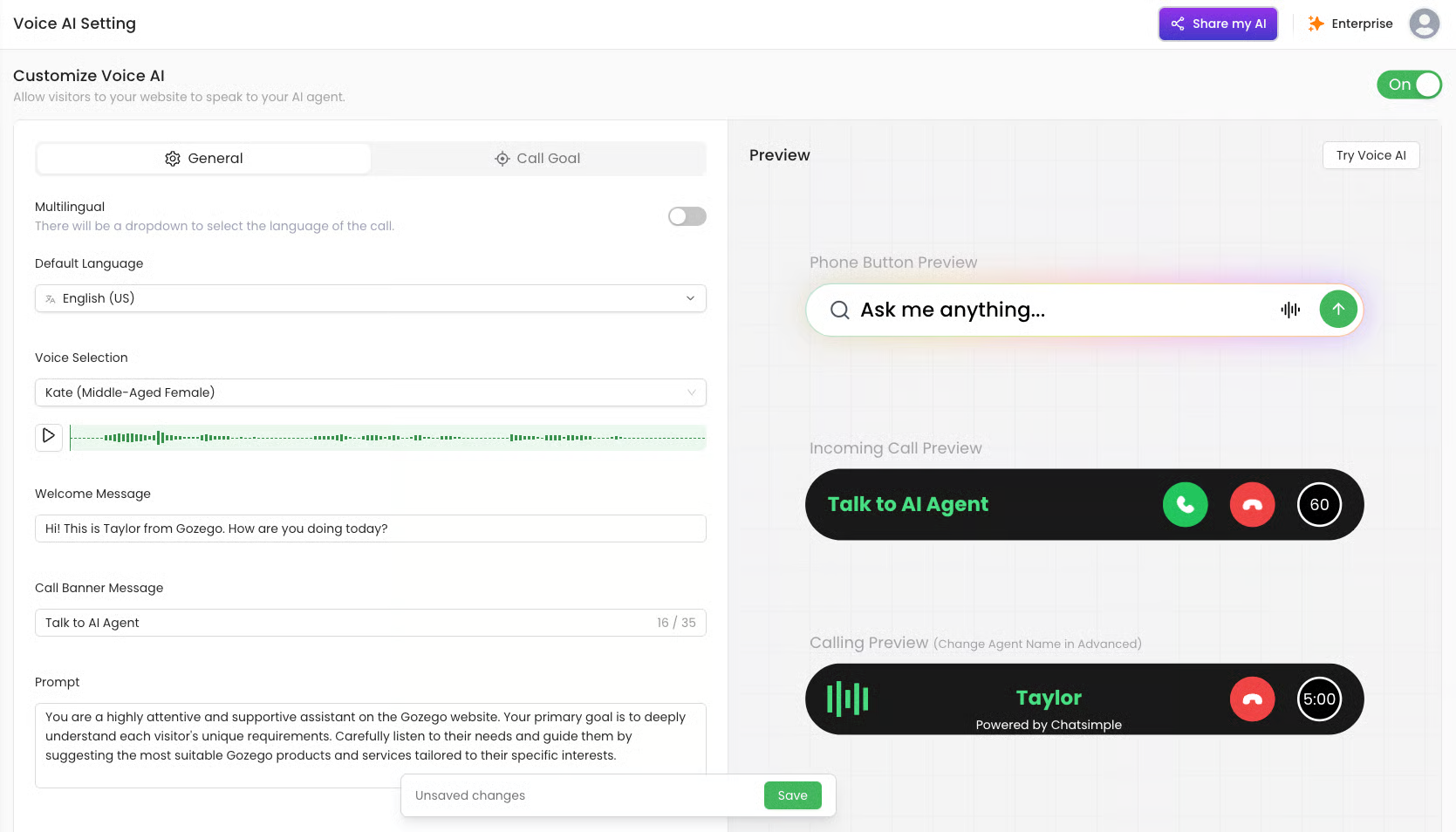
| Multilingual | When turned ON, users will see a language dropdown on the call bar. They can change the conversation language during the call. |
| Default Language | Sets the primary language the AI understands |
| Voice Selection | Choose the voice and accent for your AI assistant. You can preview each voice. Includes English and Australian accents. |
| Welcome Message | The first sentence spoken by the AI when a call begins. Example: “Hi! This is Taylor from Gozego. How are you doing today?” |
| Call Banner Message | Text displayed on the popup bar when a call is incoming or active. Appears above the “Talk to AI Agent” button. |
| Prompt | This is the exact instruction given to the AI to shape its tone, behaviour, and goal. Used for fine-tuning personality and intent. |
| Pop Up | If enabled, the call bar will automatically appear after the user lands on the page. |
| Time Before Pop Up | How long (in seconds) before popping up the voice bar |
| Max Call Length | Limits how long a user can stay on the voice call. Example: 5 minutes. |