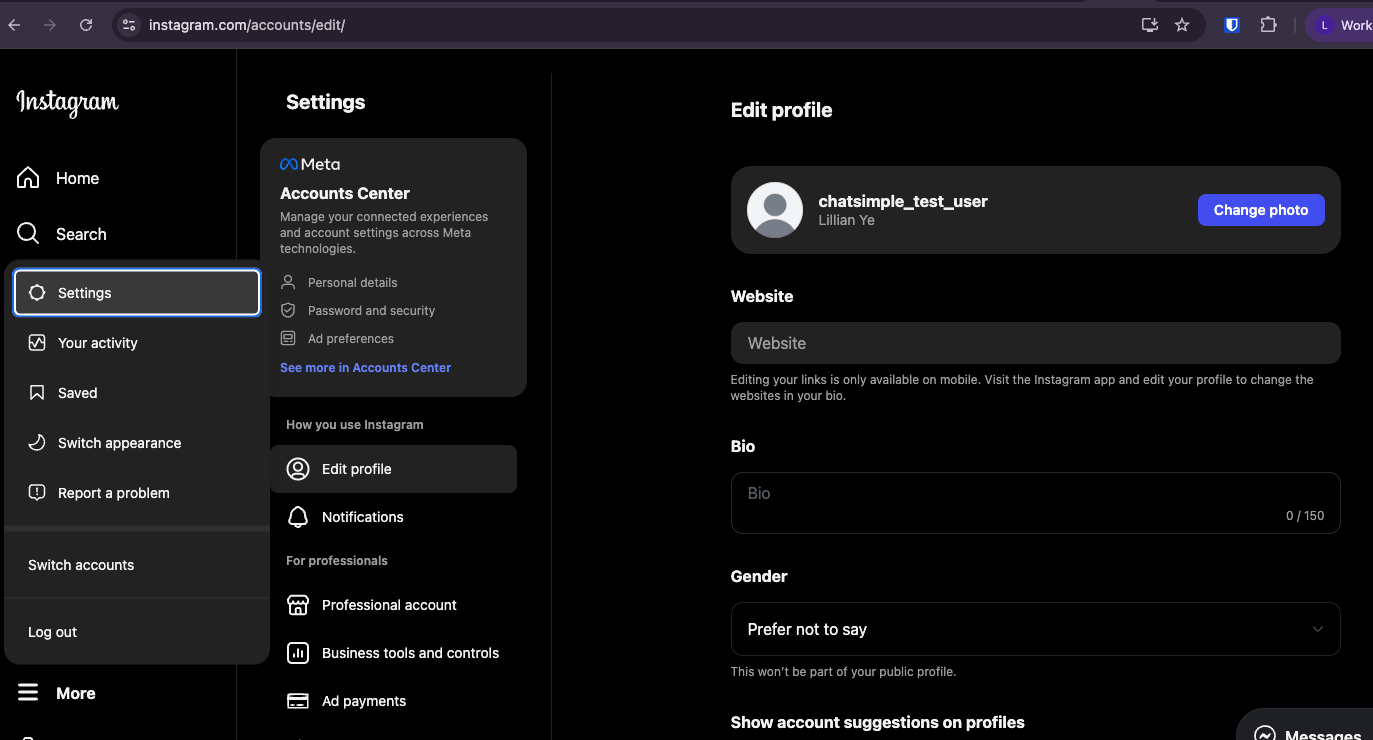
Message Settings
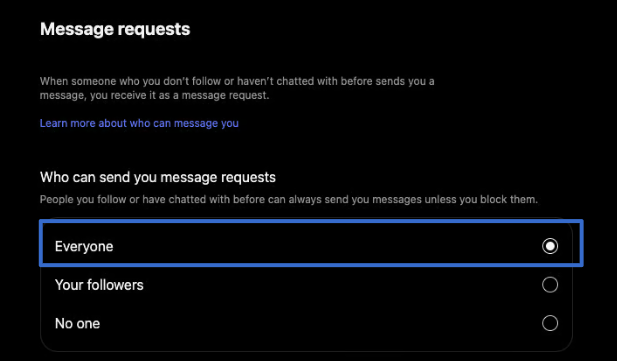
Click the Messages and story replies tab.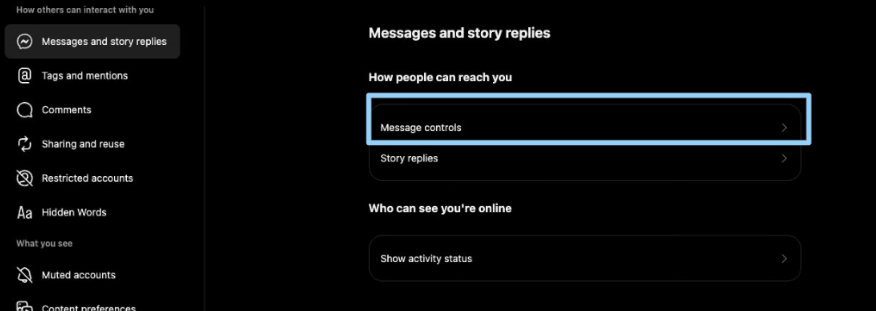 From there, click Message controls and make sure the “Who can send you message requests” setting is set to Everyone
Facebook Page Settings
First go to Facebook, and switch to the Page that is connected to your Instagram account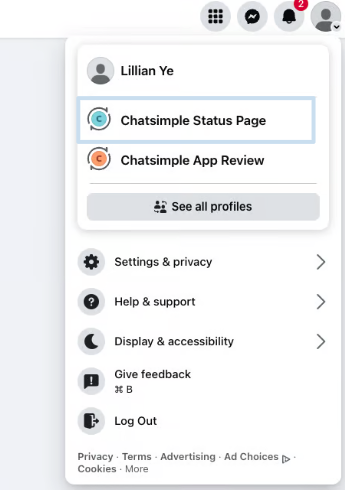
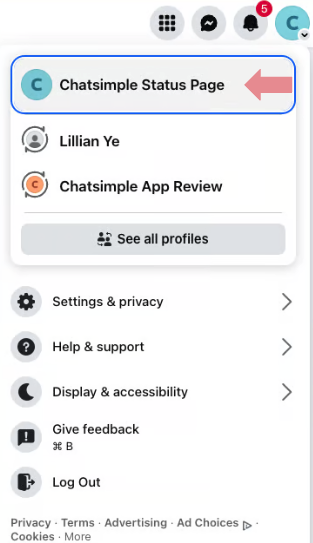 Click the Settings & privacy and go to Settings
Facebook Page Access
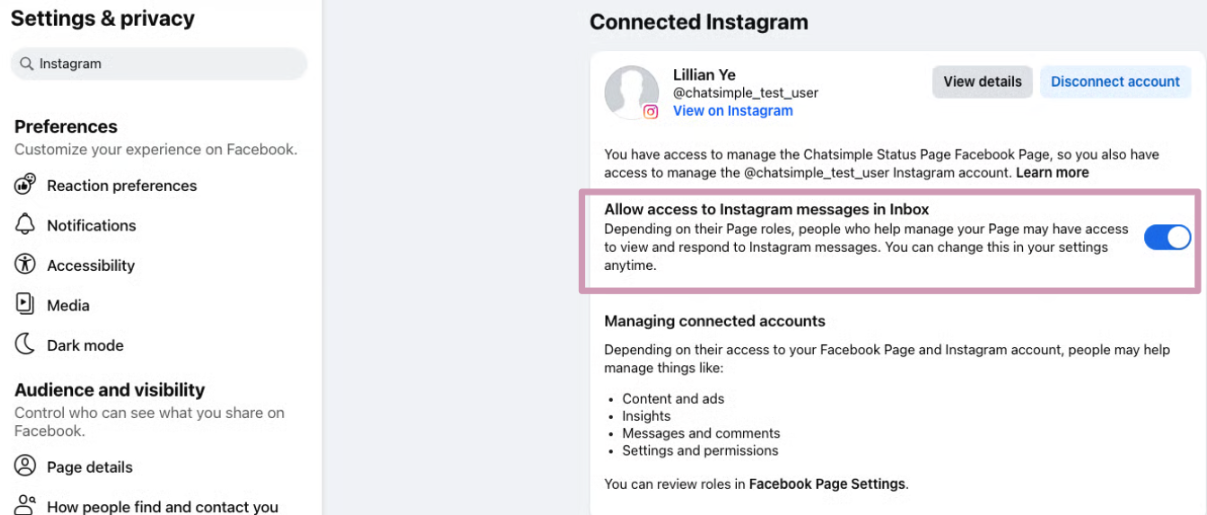
Search for Instagram in the search bar and click your connected Instagram account (in Linked accounts) Make sure Allow access to Instagram messages in Inbox is toggled on.
Handover Protocol Conflict
Search for and go to Advanced Messaging.
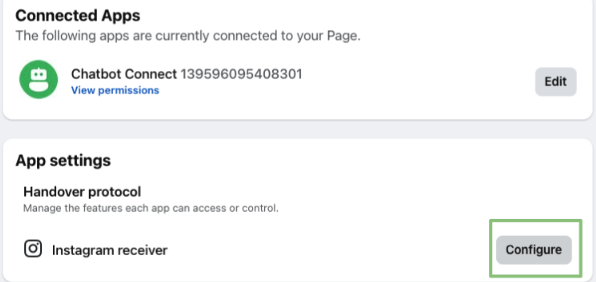
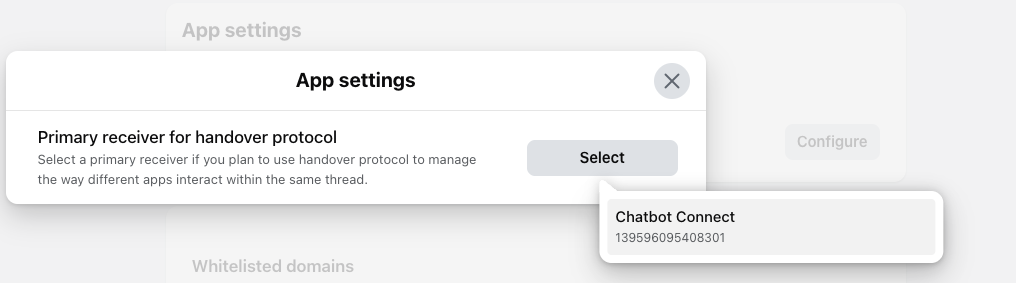
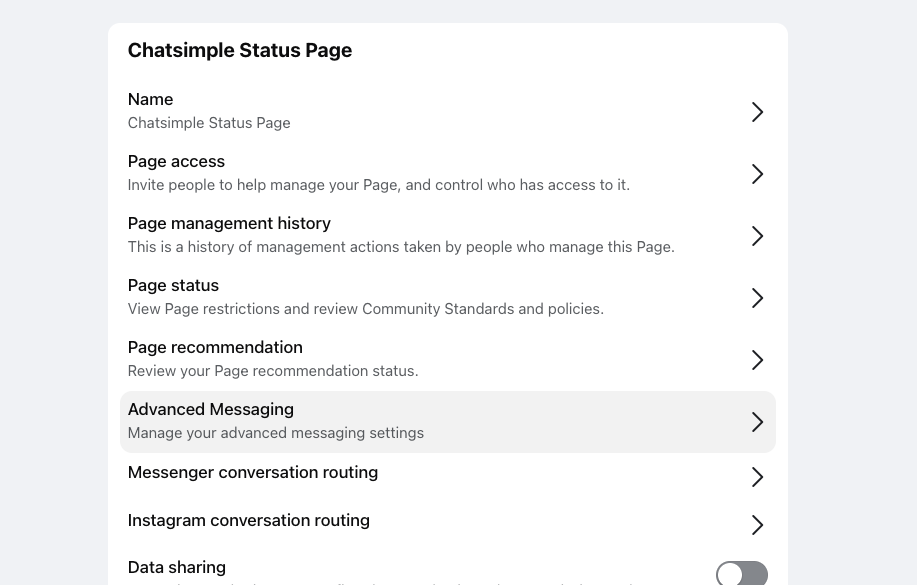 If you have multiple connected apps, configure the Instagram Receiver’s Primary Receiver to be the Chatbot Connect app.
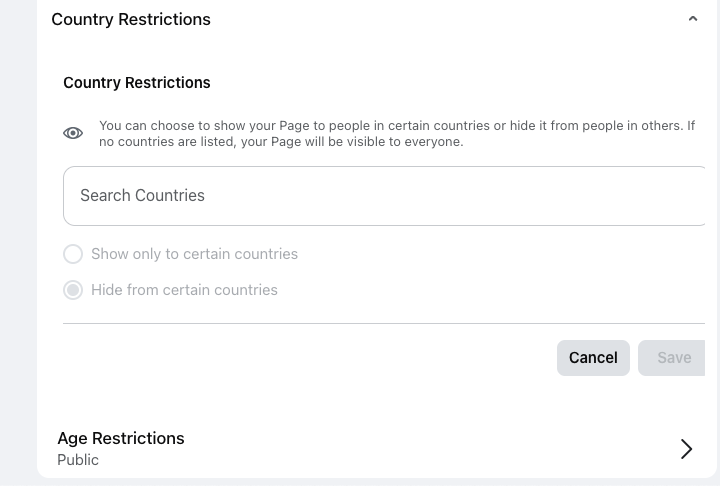
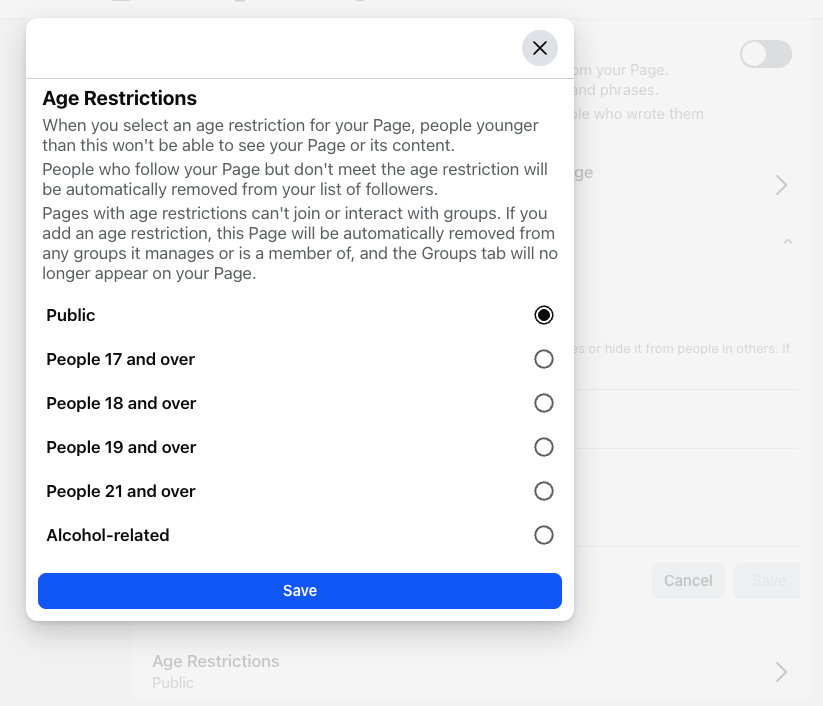
Age/Country Gating
Search for Followers and public content. Relax the Country and Age restrictions if possible.