

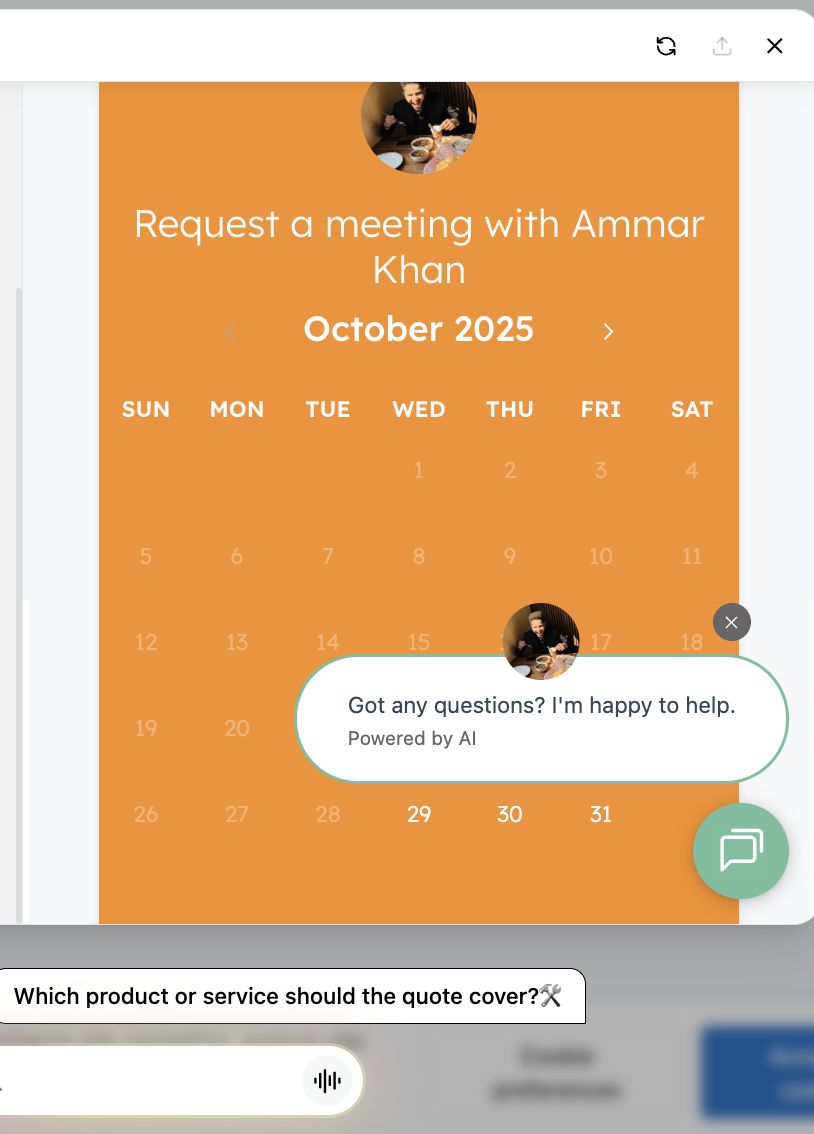
Before
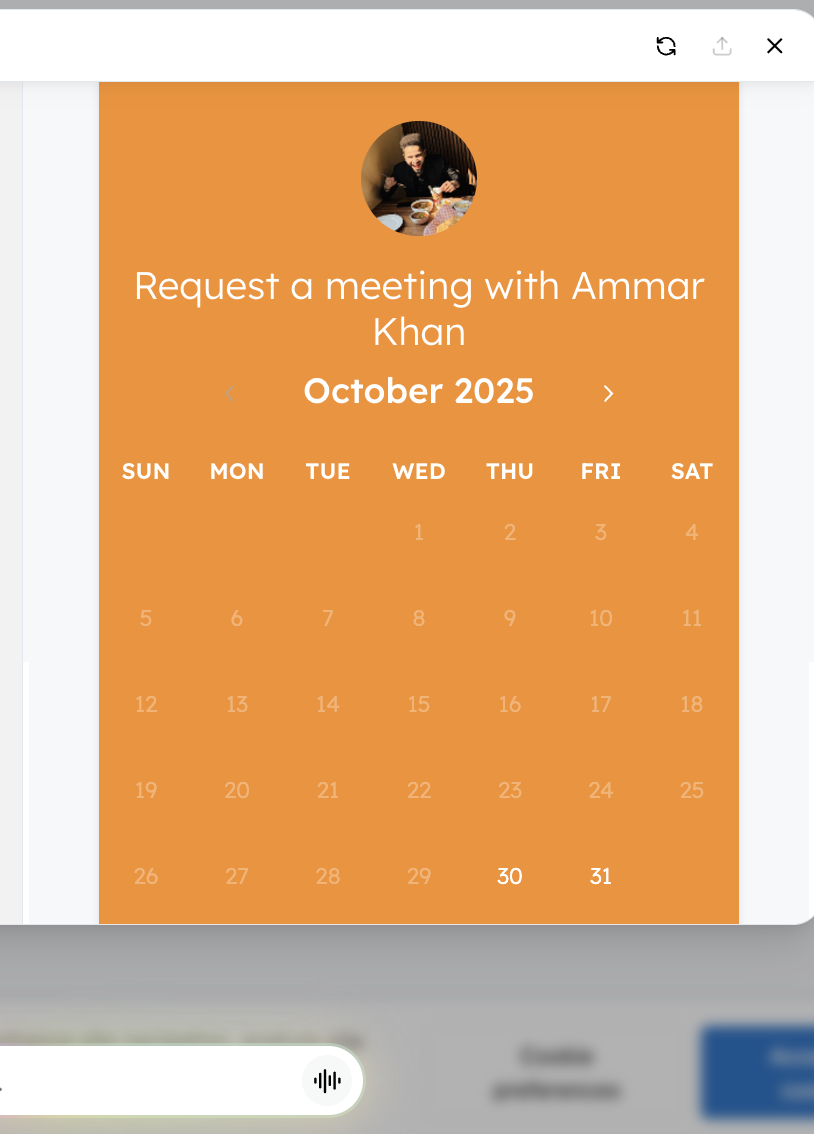
After
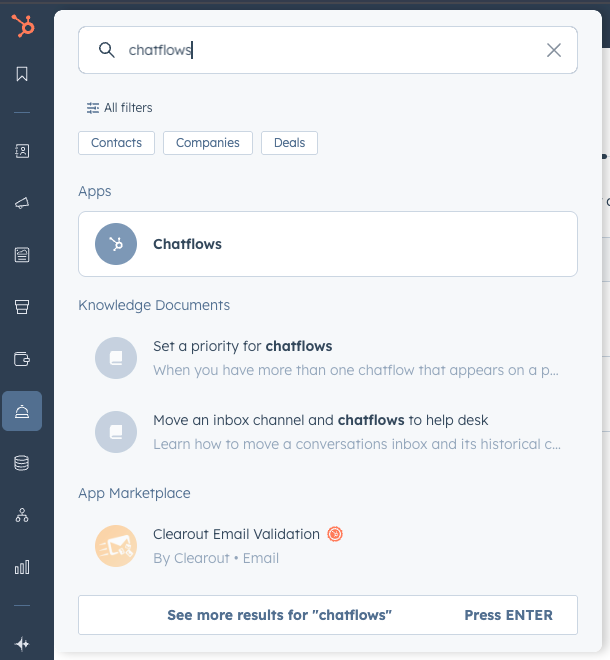
Step 1. Search up Chatflows in HubSpot
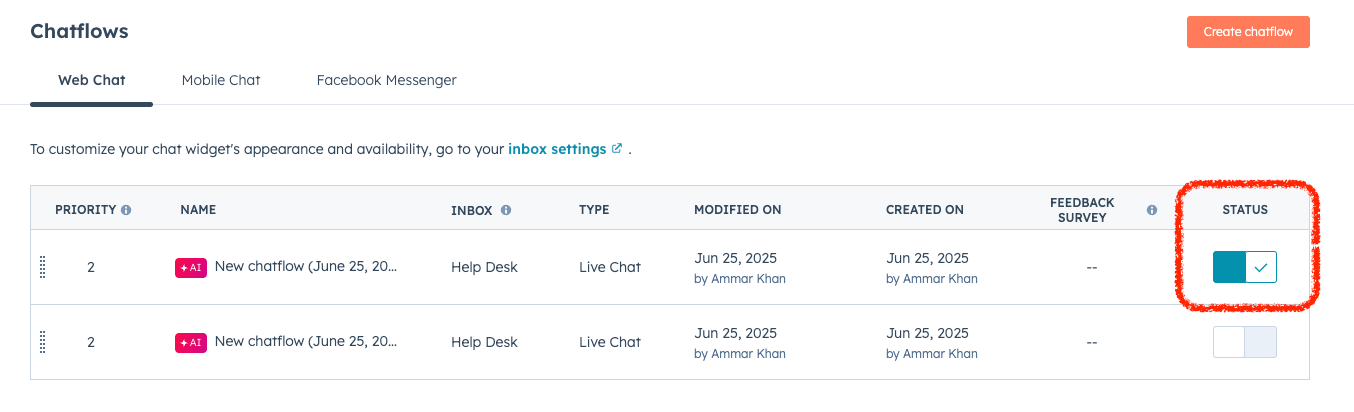
Step 2. If any has a status active, click ‘edit’ for it
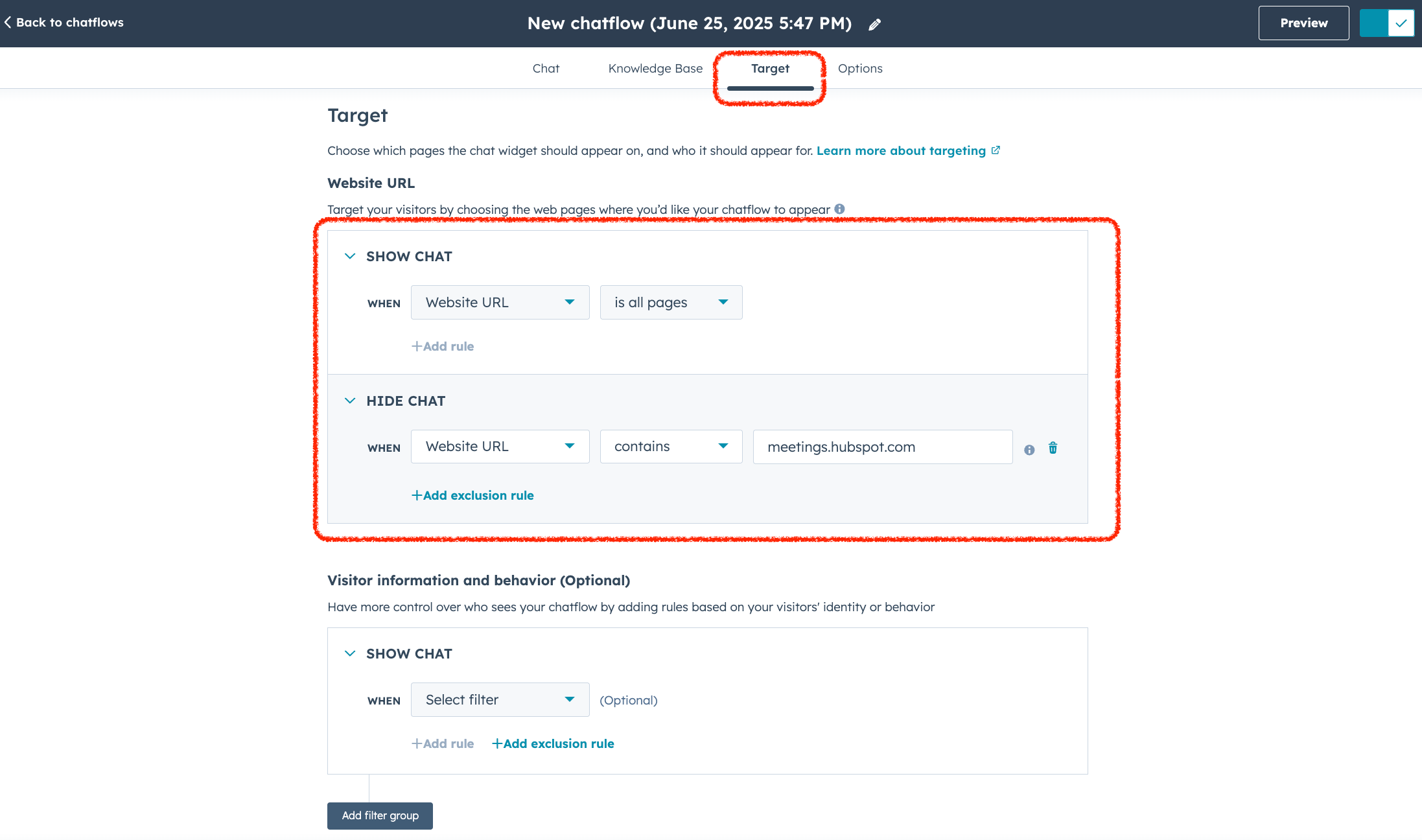
Step 3. Toggle into target and hide
-
Be sure to select, ‘website url’, ‘contains’, and ‘meetings.hubspot.com’ or whichever url you’re using.
- Then save, and you’re done 🎊